
Finding enjoyable Android games for older phones can sometimes be challenging. Newer mobile games often require powerful processors, large amounts of RAM, updated operating systems, and advanced graphics capabilities. However, owning an older smartphone does not mean you have to miss out on entertaining mobile gaming experiences. Many Android games are designed with simple graphics, smaller installation sizes, and low system requirements, making them suitable for devices with limited hardware.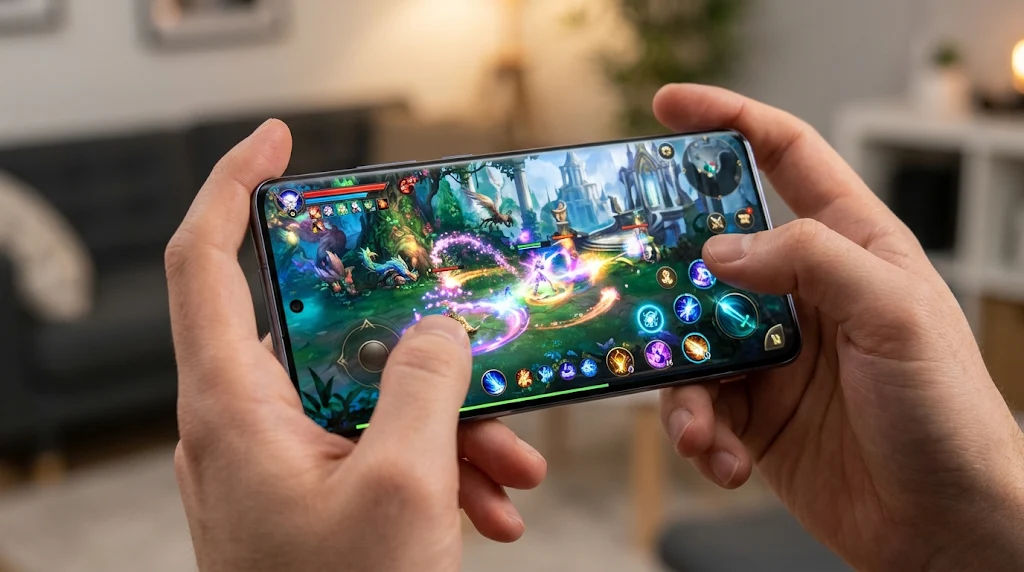
Choosing the right game can make a significant difference in performance. Instead of downloading demanding titles that cause freezing, overheating, or slow loading, users can explore lightweight games that run comfortably on older Android devices. These games can provide entertainment without requiring expensive smartphone upgrades.
Older phones can still deliver enjoyable gaming experiences when users understand their device's limitations and select suitable applications. There are plenty of options across puzzle, arcade, racing, strategy, board, and casual gaming categories.
This comprehensive guide explains which Android games work on older phones, what features to consider before downloading, and how to improve gaming performance. It also explores practical ways to identify lightweight games and enjoy them without putting unnecessary pressure on an older smartphone.
Gaming Requirements on Older Android Phones
Before choosing a game, it is important to understand why some Android games perform better than others on older smartphones.
Every mobile game uses different amounts of processing power, memory, storage, and battery capacity. Games with detailed environments and advanced visual effects generally require stronger hardware.
Older phones usually have limited resources, so selecting games with modest requirements is a sensible approach.
Processor Performance
The processor handles the calculations needed to run a mobile game. Older smartphones may have entry-level processors that struggle with complicated graphics, large environments, and numerous moving objects.
Games with simple mechanics and basic animations generally require less processing power.
For example, traditional puzzle games and straightforward arcade titles can run comfortably on devices that struggle with modern 3D games.
Available RAM
OPEN88 Access Memory, commonly known as RAM, temporarily stores information that applications need while running.
Older smartphones often have 2GB, 3GB, or 4GB of RAM. Games designed for lightweight performance are generally more suitable for these devices.
Closing unnecessary applications before starting a game can also improve available memory.
Storage Space
Storage capacity is another important consideration. Some modern games require several gigabytes for installation and additional downloadable content.
Older smartphones may have limited internal storage, making smaller games more practical.
Games with compact installation files can help users maintain enough free space for other applications and essential phone functions.
Best Types of Android Games for Older Phones
Not every game requires advanced smartphone hardware. Several gaming categories offer excellent entertainment while using relatively few system resources.
1. Puzzle Games
<escape>Puzzle games are among the best choices for older Android smartphones. They usually feature simple graphics, straightforward controls, and relatively small installation sizes.</escape>
Popular examples include Sudoku, crossword puzzles, number games, and traditional matching games.
These games focus more on logical thinking than advanced visual effects. Consequently, they can work well on smartphones with older processors and limited RAM.
Puzzle games are also suitable for short gaming sessions. Players can complete individual challenges whenever they have a few minutes available.
2. Subway Surfers
Subway Surfers is a popular endless-running game featuring colourful environments, simple controls, and straightforward gameplay.
Players control a character running through railway tracks while avoiding obstacles and collecting items.
Although the game has received visual and content updates over time, performance can vary depending on the phone's specifications and the installed version.
Older devices may benefit from lowering available graphics settings and closing background applications.
Before installing it, check the current Android compatibility requirements.
3. Hill Climb Racing
Hill Climb Racing is another well-known option for people interested in lightweight racing experiences.
The game uses relatively simple visual designs and physics-based driving mechanics. Players control vehicles across different landscapes while managing speed and balance.
Its straightforward gameplay makes it appealing to users who prefer casual entertainment rather than complicated racing simulations.
It is generally a more practical choice for older devices than demanding modern racing titles, although compatibility still depends on the particular phone.
4. Candy Crush Saga
Candy Crush Saga is a colourful matching puzzle game that challenges players to complete different levels by matching similar pieces.
Its gameplay focuses on planning, pattern recognition, and completing objectives.
The basic mechanics are easy to understand, making it accessible to many different age groups.
However, the game has grown over time, and some newer versions may require more resources than earlier releases. Users should check the available storage and compatibility requirements before downloading.
5. Chess and Checkers Games
Traditional board games are excellent choices for older Android smartphones.
Chess applications generally use simple interfaces and do not require advanced graphics hardware.
Players can practise different strategies, solve challenges, and compete against computer opponents.
Checkers games provide another lightweight alternative. Their simple boards and turn-based mechanics make them suitable for smartphones with modest specifications.
Some versions also support offline gameplay, allowing users to enjoy matches without a constant internet connection.
6. Solitaire
Solitaire is a classic card game that works particularly well on devices with limited processing power.
Its basic interface, simple animations, and familiar rules make it an excellent option for casual gaming.
Different versions offer additional card designs and difficulty settings, but the core experience remains straightforward.
Solitaire is also useful for people who prefer games that do not require fast reactions or complicated controls.
7. Plants vs. Zombies
Plants vs. Zombies combines strategy, resource management, and tower-defense gameplay.
Players place different plants to protect their garden against approaching enemies.
The original game is generally less demanding than many modern strategy titles, although compatibility and performance depend on the version and Android device.
Its colourful presentation and simple controls make it an enjoyable option for people who like planning their moves.
8. Angry Birds
Angry Birds is a well-known physics-based puzzle franchise.
Its original gameplay involves launching characters toward structures and completing challenges through careful aiming.
The basic mechanics are relatively straightforward, and older releases can be suitable for devices with limited hardware.
However, availability differs between versions and regions. Always check whether a particular release is compatible with your smartphone.
Offline Android Games for Older Phones
Offline gaming is particularly useful when an older smartphone has limited internet connectivity or when users want to avoid unnecessary data consumption.
Many lightweight games offer features that do not require a permanent internet connection.
Benefits of Offline Gaming
Offline games can provide several advantages:
-
They do not require continuous mobile data.
-
They can work in locations with weak network coverage.
-
They may reduce interruptions from connection problems.
-
They can be convenient during travel.
-
They allow players to enjoy certain games without creating online accounts.
However, some games still require an internet connection for their first launch, updates, advertisements, or additional features.
Recommended Offline Game Categories
Users with older smartphones can explore several offline-friendly categories.
Classic board games: Chess, checkers, and solitaire provide simple experiences without demanding graphics.
Number puzzles: Sudoku and other number-based games offer logical challenges.
Arcade games: Lightweight arcade titles provide short and entertaining sessions.
Word games: Crossword puzzles and word searches can provide educational entertainment.
Simple racing games: Basic racing titles can offer enjoyable gameplay without complicated visual environments.
Before travelling or losing internet access, test whether the selected game works properly offline.
How to Choose Games That Match Your Phone
Selecting the right game involves more than looking at its popularity or rating. A game must also match your smartphone's technical capabilities.
Check Android Compatibility
Every Android game has minimum software requirements.
Some applications require newer Android versions, while others support older operating systems.
Open the game's official store listing and review its compatibility information before downloading.
If the application is no longer supported on your device, it may not install or operate correctly.
Review Installation Size
Installation size matters when working with limited storage.
A game with a small download may still require additional space after installation because of updates and extra content.
Check the total storage requirements rather than considering only the initial download size.
Read Recent User Reviews
User reviews can provide useful information about performance on different devices.
Look for comments mentioning older smartphones, loading problems, crashes, and compatibility.
Recent reviews are particularly valuable because application requirements can change after updates.
Avoid Unofficial Downloads
Downloading applications from unknown websites can expose smartphones to harmful software and unwanted permissions.
Use trusted application stores and check the developer's identity before installing anything.
Avoid modified applications that promise unlimited features or access to restricted content. They may create security and privacy problems.
Tips to Improve Gaming Performance on Older Phones
Even lightweight games can sometimes experience slowdowns when a smartphone has limited available resources.
Fortunately, several basic maintenance steps can improve performance.
Close Unnecessary Background Applications
Applications running in the background may consume RAM and processor resources.
Before launching a game, close applications that you do not currently need.
This can make additional memory available and reduce unnecessary activity.
Keep Enough Storage Available
A nearly full smartphone may experience performance problems.
Remove unnecessary downloads, duplicate files, and applications that you no longer use.
Keep important personal files backed up before deleting anything.
Maintaining available storage can help the operating system manage temporary files more effectively.
Restart Your Smartphone
Restarting an older phone occasionally can help clear temporary software issues.
It also closes applications and processes that may have remained active.
If a game repeatedly freezes, restarting the device is a simple troubleshooting step.
Reduce Graphics Settings
Some games offer options for adjusting visual quality.
If your phone struggles with performance, select lower graphics settings when available.
Reducing unnecessary visual effects can make gameplay smoother.
Keep Applications Updated
Game updates sometimes include performance improvements, bug fixes, and compatibility changes.
Install updates through trusted application stores when they are available for your device.
However, remember that newer versions can occasionally increase hardware requirements.
If an update makes an application incompatible, consider choosing another supported lightweight game rather than downloading an unsafe older installation file.
Android Games That May Struggle on Older Smartphones
Some categories are generally more demanding than others.
Understanding these differences can help users avoid unnecessary downloads.
Advanced 3D Games
Modern 3D games often contain detailed environments, complex animations, and sophisticated lighting effects.
These features require more processing power and graphics performance.
Older entry-level smartphones may struggle to maintain smooth gameplay.
Large Open-World Games
Open-world games frequently contain large maps, numerous characters, and extensive interactive environments.
They may also require considerable storage and RAM.
These requirements can make them difficult to run on older devices.
Competitive Multiplayer Games
Some competitive games require fast processing, stable internet connections, and responsive controls.
An older smartphone may experience delays or performance problems, especially when several applications are running simultaneously.
Players should consider both network quality and hardware capabilities when choosing multiplayer titles.
Can Older Android Phones Run Popular Games Smoothly?
Yes, many older smartphones can still run popular games, but performance depends on their individual specifications.
A phone released several years ago may handle simple puzzle games comfortably while struggling with advanced racing or action titles.
The Android version also matters because developers regularly update applications to support newer software features.
It is therefore important to evaluate each game individually instead of assuming that every older phone has the same limitations.
Understand Your Phone's Specifications
Check these details before selecting games:
-
Processor model and performance.
-
Available RAM.
-
Internal storage capacity.
-
Android operating system version.
-
Graphics processing capabilities.
-
Battery condition.
These specifications provide a clearer picture of what your smartphone can handle.
Test Games Before Installing More
Avoid downloading several demanding applications simultaneously.
Choose one lightweight game, test its performance, and observe whether it loads correctly.
Pay attention to loading times, responsiveness, and unexpected application closures.
This approach makes it easier to identify which types of games suit your device.
Are Lightweight Android Games Safe to Download?
Lightweight games can be enjoyable, but safety should remain a priority.
A small installation file does not automatically mean that an application is trustworthy.
Some unreliable applications request unnecessary permissions or contain unwanted software.
Review Application Permissions
A simple puzzle game generally does not need access to every feature of your smartphone.
Review permission requests carefully and consider whether they are necessary for the application's main purpose.
Avoid granting access without understanding why it is required.
Download From Trusted Sources
Official application stores provide useful security checks and developer information.
Although no platform guarantees that every application is completely safe, trusted stores are generally preferable to unknown download websites.
Check the developer, reviews, privacy information, and update history before installing a game.
Protect Personal Information
Some games offer optional accounts, social features, and online services.
Avoid sharing unnecessary personal information.
Use strong passwords for accounts that you choose to create, and never share verification codes with strangers.
How to Make Gaming More Enjoyable on an Older Phone
Good gaming experiences depend on more than powerful hardware.
Simple habits can help users enjoy their favourite titles while keeping their devices comfortable to use.
Choose Games With Simple Controls
Games with straightforward controls are often easier to enjoy on smaller screens.
Touch-based puzzles, turn-based board games, and simple arcade titles can work particularly well.
They do not always require precise movements or rapid reactions.
Manage Battery Usage
Older smartphone batteries may not perform as efficiently as newer ones.
Avoid running several demanding applications while playing.
Keep your device in a well-ventilated location and stop playing if it becomes unusually hot.
Use Appropriate Game Settings
If a game provides options for sound, animation, or visual quality, adjust them according to your preferences and device performance.
Reducing unnecessary effects may also help conserve battery power.
Take Regular Breaks
Gaming should remain a balanced recreational activity.
Take breaks between sessions, especially when using a small screen for extended periods.
This helps reduce eye strain and gives your smartphone time to cool down when necessary.
Conclusion
Older Android smartphones can still provide enjoyable gaming experiences when users select applications that match their devices' capabilities. Although modern games often demand powerful processors, additional RAM, and advanced graphics, many lightweight alternatives remain suitable for phones with modest specifications.
Puzzle games, Sudoku, Solitaire, chess, checkers, Hill Climb Racing, and selected versions of popular casual games are useful options to explore. Their straightforward mechanics and relatively simple presentation can make them more accessible than demanding modern 3D titles.
Choosing the right game requires checking Android compatibility, available storage, RAM requirements, and recent user reviews. These details help prevent unnecessary downloads and reduce the possibility of performance problems.
Users can also improve their experience by closing unnecessary background applications, maintaining sufficient storage, restarting their smartphones occasionally, and adjusting graphics settings whenever possible.
Security is equally important. Downloading games from trusted sources, reviewing application permissions, and avoiding suspicious modified applications can help protect personal information and device performance.
Ultimately, having an older smartphone does not mean giving up mobile entertainment. With sensible game selection and basic device maintenance, users can enjoy a wide variety of casual, puzzle, arcade, strategy, and offline gaming experiences without needing to purchase a new phone.
The best Android game for an older device is one that runs reliably, fits the available storage, offers enjoyable gameplay, and works comfortably within the phone's hardware limitations.